

Capture everything
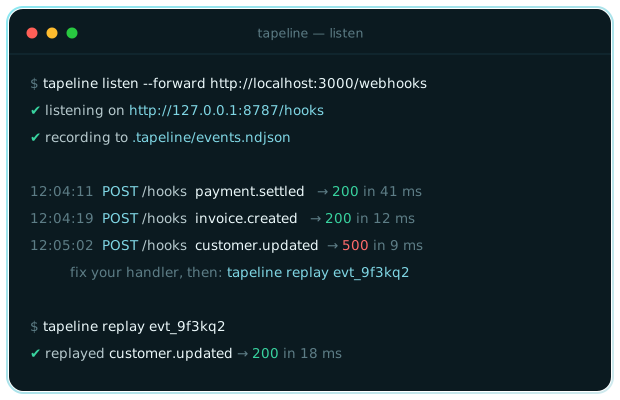
Every request that reaches the listener is appended to a plain-text store on your machine — headers, body, and timing. Nothing is uploaded anywhere.
Capture everything
Every request that reaches the listener is appended to a plain-text store on your machine — headers, body, and timing. Nothing is uploaded anywhere.
Inspect the real payload
tapeline tail streams captured events with method, path, event name, and
response status, and --json gives you the full request for close reading.
Replay until it passes
tapeline replay resends a captured event byte for byte — original
signature headers included — so you can fix a failing handler without
begging the provider for another delivery.
Script every step
Stable exit codes, NDJSON export, and --json output make Tapeline easy
to wire into test scripts and CI smoke checks.
These docs are written for people and for the tools that help them. Every
page has a Copy page as Markdown button next to its title, and the same
content is served as plain Markdown under /raw/ — so you can paste clean
context into an AI coding assistant instead of scraped HTML.
/reference/cli/ → /raw/reference/cli.md/start/configuration/ → /raw/start/configuration.mdNo. Tapeline is local-first: the listener runs on your machine and every captured event is written to a plain-text store in your project directory. Nothing is uploaded, and deleting the store file deletes the data.
Yes, if the events come from an external provider. Tapeline is the local receiver, recorder, and replayer — it pairs with any tunnel that can point a public URL at your machine. For events you send yourself with curl or a test script, no tunnel is needed.
Yes. Replays resend the original request byte for byte, including the signature header, so verification code sees exactly what the provider sent. One caveat: providers that embed a timestamp in the signature may reject very old events, so replay recent captures or relax the tolerance in your development configuration.
That is a built-in feature of the docs site. Every page has a "Copy page as Markdown" button next to its title, and the same content is served as plain Markdown under /raw/ — for example /raw/reference/cli.md — so assistants get clean context instead of scraped HTML.